V520 OBD2 Scanner: Live Data + Cloud Printing Reports
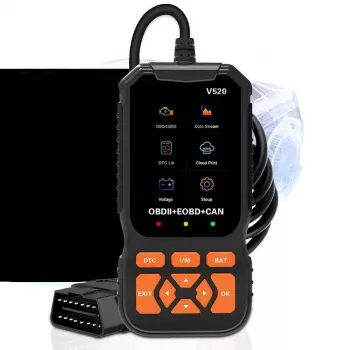
V520 OBD2 Car Diagnostic Scanner with Cloud Printing & Live Data Streaming: Quick Reads, Clear Reports, Confident Fixes
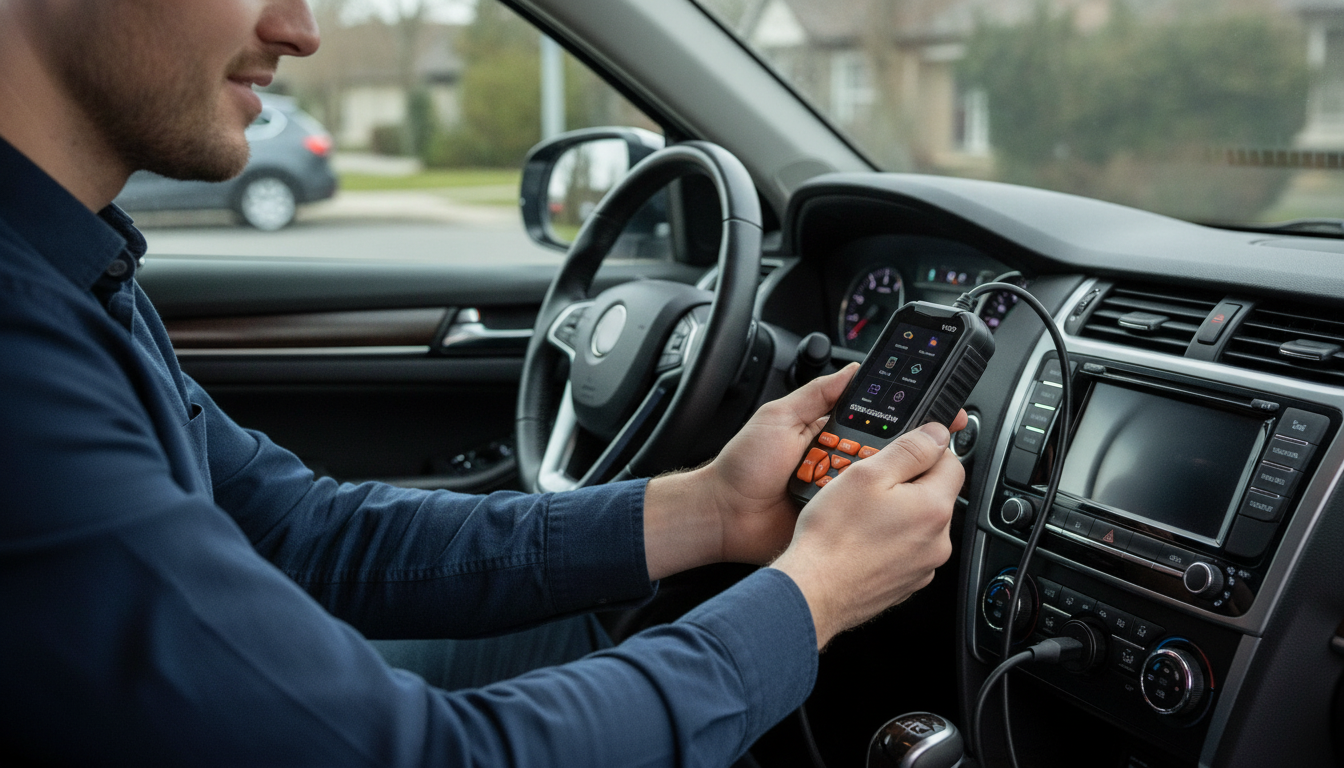
The V520 is built for drivers and DIYers who want more than a basic code reader: it pairs fast fault-code checks with live data streaming and cloud printing so results can be saved, shared, and referenced later. That combination is especially helpful when a problem is intermittent, when more than one person works on the same vehicle, or when you want a clean “before/after” record after replacing parts.
What the V520 does (and why cloud printing matters)
At its core, the V520 is designed for quick plug-in checks at the OBD-II port without complicated setup. Once connected, it can read and clear diagnostic trouble codes (DTCs), stream live sensor data, and create shareable records using cloud printing.
- Reads and clears DTCs: Identify what system is reporting a fault, then confirm whether the issue returns after a repair.
- Streams live data: Helps reveal patterns a simple code read can’t show—misfires, fuel trims, coolant temperature behavior, and O2 sensor switching.
- Cloud printing/report sharing: Save a scan, document a repair, or share results with a technician without relying on memory or screenshots.
- Built for repeatable checks: Great for “light came on today” moments as well as long-running drivability mysteries.
At-a-glance feature map
Use this checklist to match the tool to common diagnostic tasks and decide how to apply each function during troubleshooting.
| Feature | What it helps with | When to use it |
|---|---|---|
| Read trouble codes | Identifies the system reporting a fault | When the check engine light appears or a driveability issue starts |
| Clear trouble codes | Verifies whether a fix solved the underlying issue | After repairs or part replacement (clear, then re-check after a drive cycle) |
| Live data streaming | Shows sensor values in real time to find abnormal readings | When symptoms are intermittent or when codes are generic |
| Freeze frame (if supported) | Captures conditions when the fault was detected (RPM, load, temps) | Right after a code read—before clearing anything |
| Cloud printing/report sharing | Creates a saved record for future comparison or for a shop visit | When a problem repeats, or when multiple people work on the same vehicle |
A simple diagnostic workflow that avoids guesswork
A consistent process reduces the odds of clearing useful information too soon or replacing parts based on a single clue. This workflow keeps your notes clean and your next step obvious.
- Step 1: Plug in with ignition ON (engine off). Record codes and any freeze-frame details before clearing.
- Step 2: Start the engine and watch live data for obvious outliers (coolant temp rising normally, stable idle RPM, sensible throttle position).
- Step 3: Check fuel trims during idle and a steady cruise if possible; large positive/negative trims can point to vacuum leaks, MAF issues, or fuel delivery problems.
- Step 4: Clear codes only after saving a report; then perform a short test drive and rescan to confirm what returns.
- Step 5: Use cloud printing to create a “before/after” record when parts are replaced, making future comparisons faster.
For background on what OBD systems are designed to report, see the EPA’s overview of On-Board Diagnostics (OBD). For deeper technical structure behind common OBD-II modes and parameters, the SAE J1979 overview is a helpful reference.
Live data streaming: what to watch first
Live data is where a scanner starts feeling like a diagnostic tool instead of a “light resetter.” If you’re not sure where to begin, check these items first because they often expose the biggest contradictions quickly.
- Coolant temperature: Should rise steadily from a cold start. Sudden spikes, erratic readings, or staying cold too long can point toward thermostat, sensor, or cooling system issues.
- O2/A/F sensor activity (when applicable): Switching behavior and response can hint at mixture problems or sensor faults; comparing banks (if supported) can narrow the search.
- Fuel trims (STFT/LTFT): Consistent extremes can suggest unmetered air, fuel pressure issues, injector problems, or sensor drift.
- Misfire counters (if supported): Useful for isolating problems to a cylinder or operating condition rather than guessing between fuel and ignition.
- Battery/charging voltage (PID availability varies): Helps spot low voltage situations that can trigger a chain of unrelated codes.
Cloud printing and reports: getting organized fast
Compatibility and limitations to keep in mind
Who it fits best
V520 product page
If cloud printing and live data streaming are the missing pieces in your current toolkit, the V520 OBD2 Car Diagnostic Scanner with Cloud Printing & Live Data Streaming is available now. Current price and availability can change; check the listing for the latest details and images.
More in-stock picks
- Unlocking Savings Secrets — Master Your Deal Hunting Routine: How to Schedule Regular Deal Hunts for Maximum Savings
- Outlet Secrets: How to Score the Best Deals on Amazon | Digital Guide for Smart Shoppers
FAQ
Will it work with my car?
Most 1996+ gasoline vehicles in the US support OBD-II, and many newer diesel vehicles do as well, but exact coverage varies by model year and region. Confirm your vehicle has an OBD-II port and keep in mind that supported live data parameters can differ from one vehicle to another.
Does clearing a code fix the problem?
No—clearing a code removes the warning and stored fault data, but it doesn’t repair the underlying cause. Save a report first, then clear codes after repairs to verify the issue doesn’t return.
What should be checked in live data first for rough idle or hesitation?
Start with coolant temperature behavior, RPM stability, throttle position, and fuel trims (STFT/LTFT), then check misfire counters if your vehicle provides them. Outliers help narrow next steps toward common causes like vacuum leaks, MAF issues, ignition faults, or fuel delivery problems.









Leave a comment